What's New

Everything we have added lately, in plain words. Newest first.

New

Drafts, a blog, and questions you can change after publishing

A batch of changes has landed since the last update — most of them about giving you more room to change your mind after a survey is already written.

  • Drafts. Save a survey without publishing it and publish when the wording is right. A draft is yours alone until then, and My Surveys now splits into tabs so drafts never get mixed up with live surveys.
  • Questions on live surveys. Add a question, remove one that turned out unnecessary, or drag them into a better order — all without taking the survey down. Answers already given stay where they are.
  • Ready-made answer sets. "Yes / No / Maybe" or a 1-10 rating scale in one click, in the language you are writing the survey in. A template is just a starting point: edit or extend it afterwards.
  • A blog. Guides and news at /blog — how to word a question, when a quiz works better than a poll, and what is new on the site.
  • A contact form. Write to us straight from the site, with no hunting for an email address. Spam is filtered out quietly, with no puzzles to solve.
  • Likes on this page. Every entry now has a like button — the shortest way to tell us what was worth building.
Improved

Cookies: your choice, purpose by purpose

The cookie notice now asks about each purpose separately — what the site needs to work, analytics, and advertising — with everything switched off until you agree. Changing your mind later takes one click in the footer.

  • Separate answers for analytics and advertising
  • Nothing is pre-ticked and nothing runs before you answer
  • Withdraw consent from the footer at any time
  • Every answer is recorded, as the GDPR requires
  • The privacy policy spells out what each cookie does
New

A new look, open for preview

We are rebuilding how Saigaknows looks — warmer colours, a proper typeface, roomier pages. It is already live behind a preview switch, so you can try it long before it becomes the default.

  • Add ?dv2=1 to any address to try it
  • Your choice is remembered as you browse
  • The current design stays the default for now
  • Same polls, same links, new look
New

Turn any poll into a quiz

You can now mark the correct answer on your questions and let people find out how well they did. Everything happens on one page — answer, submit, see your score.

  • Mark one correct answer per question
  • Optional A/B/C/D lettering for a classic quiz look
  • Set a pass score, and celebrate everyone who reaches it
  • Decide whether takers see their score, or only you do
  • Ask for a contact email so you can follow up on a result
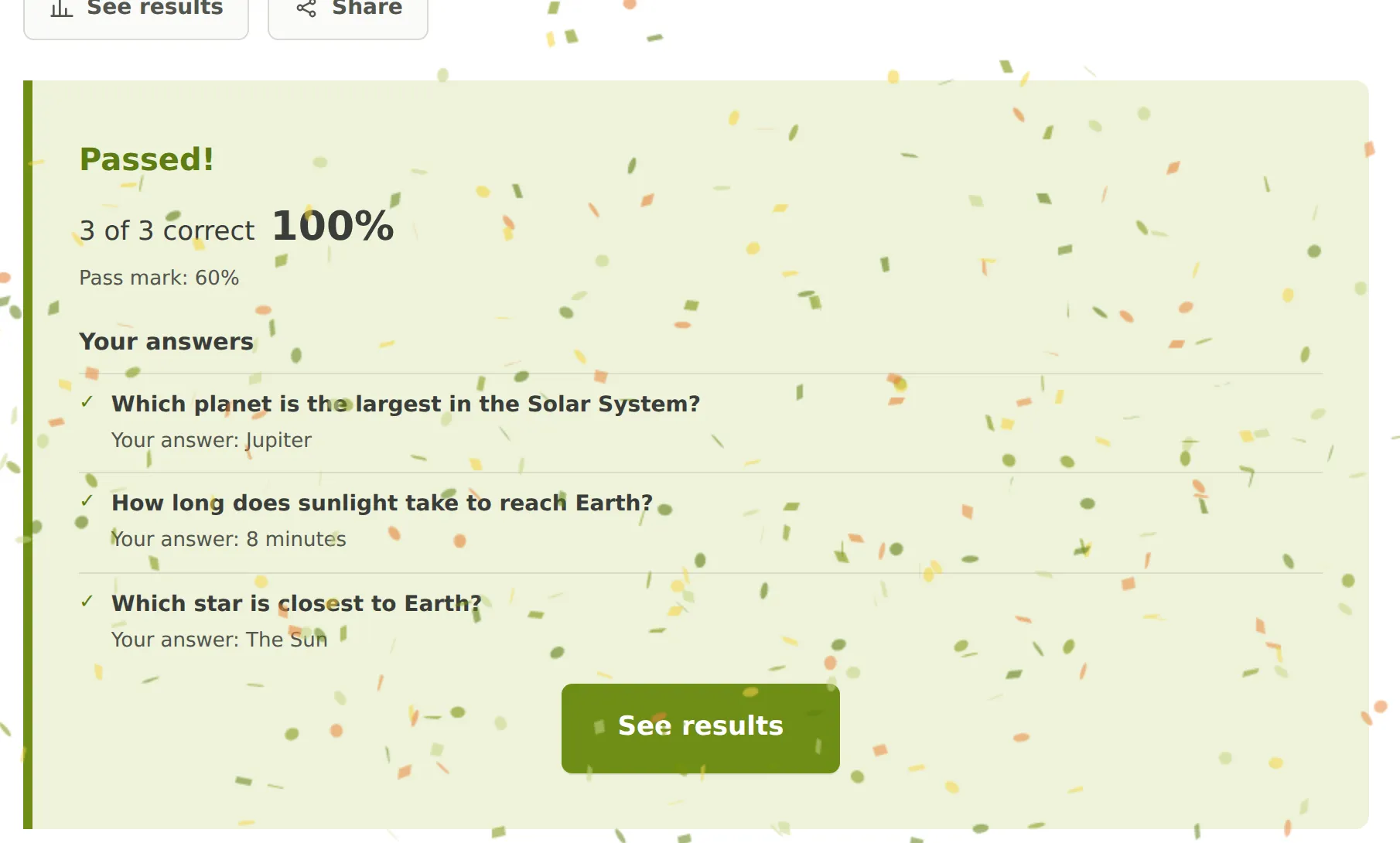
The quiz score card: “Passed! 3 of 3 correct, 100%” with the answer breakdown
New

Sign in without a password

If you started without an account, you never chose a password — so now you never need one. Type your email and we send a link that signs you straight in.

  • Sign in with a link sent to your email
  • No password to invent or forget
  • The link works once and expires quickly
  • Your polls and results are where you left them
New

A home for the World Cup 2026

Big events deserve their own corner. The World Cup 2026 section keeps the polls about the tournament next to the schedule and the numbers — goals, top scorers, cards and penalties — so a question about the final sits where people are already reading about it.

  • A section dedicated to the World Cup 2026
  • Match schedule and results in one place
  • Golden Boot, cards and penalty tables
  • Tournament polls grouped together
New

Create a poll without signing up

Signing up first was the slowest part of asking a question. Now you can go straight to the form, publish your poll, and share it in under a minute.

  • No account needed to publish
  • Leave an email and we send you a link back to your poll
  • The same link signs you in later — no password to remember
  • Polls you made as a guest join your account the moment you use that link
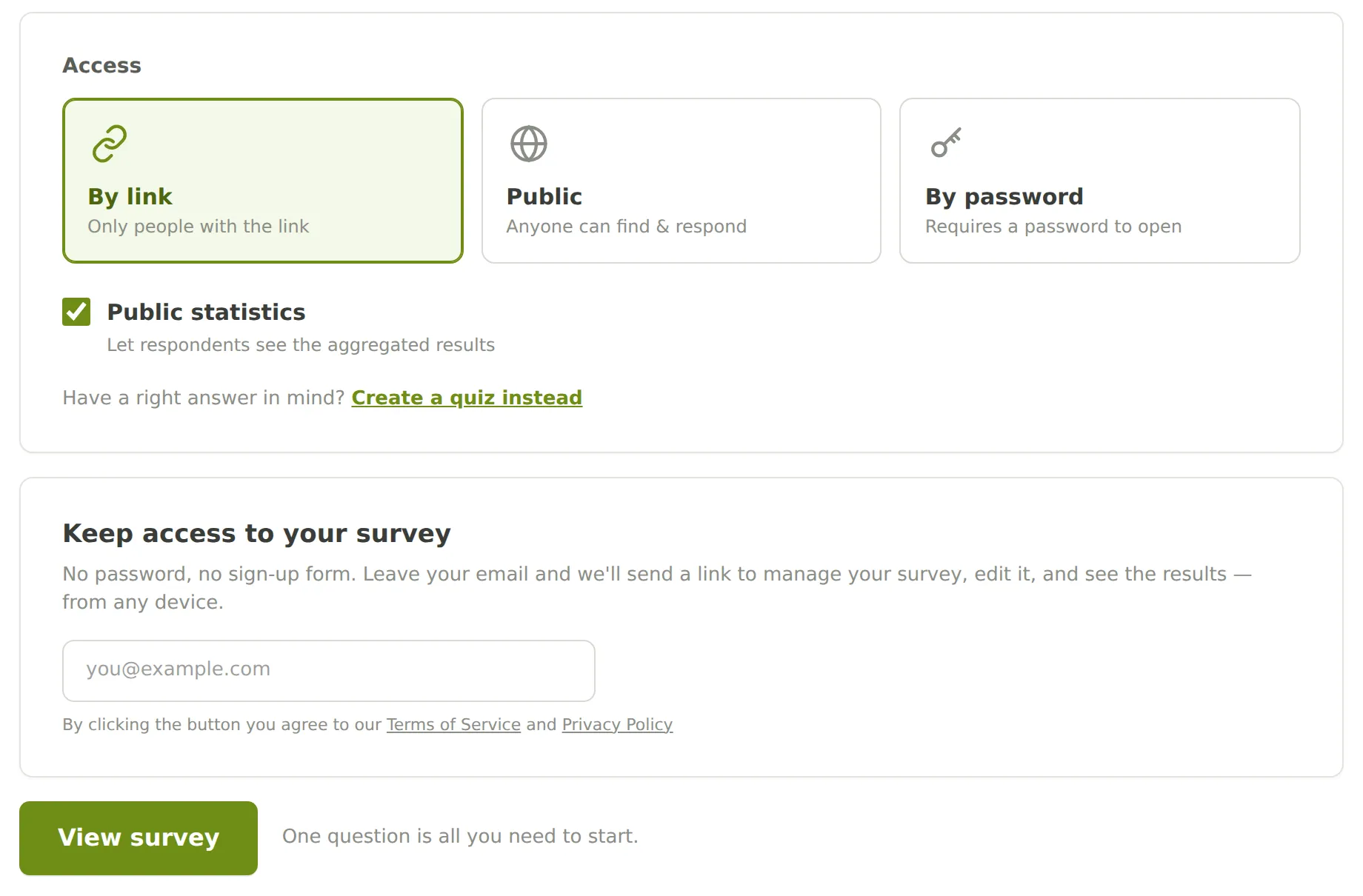
The end of the create form: access options and the “Keep access to your survey” email field, with no sign-up step
New

Email that lands in the inbox

Every link we send you is only useful if the letter arrives. Saigaknows now sends its own signed mail from its own server, in letters that are readable in any mail client.

  • Signed mail sent from our own address
  • A welcome letter when you sign up
  • Readable, well laid-out letters everywhere
  • One-click unsubscribe on every message
New

Saigaknows now speaks Romanian

Romanian joins English and Spanish. Pick your language from the globe in the top bar and the whole site follows — including the polls you are shown.

  • Full Romanian translation across every page
  • Each poll remembers the language it was written in
  • Choosing a language shows you the polls written in it first
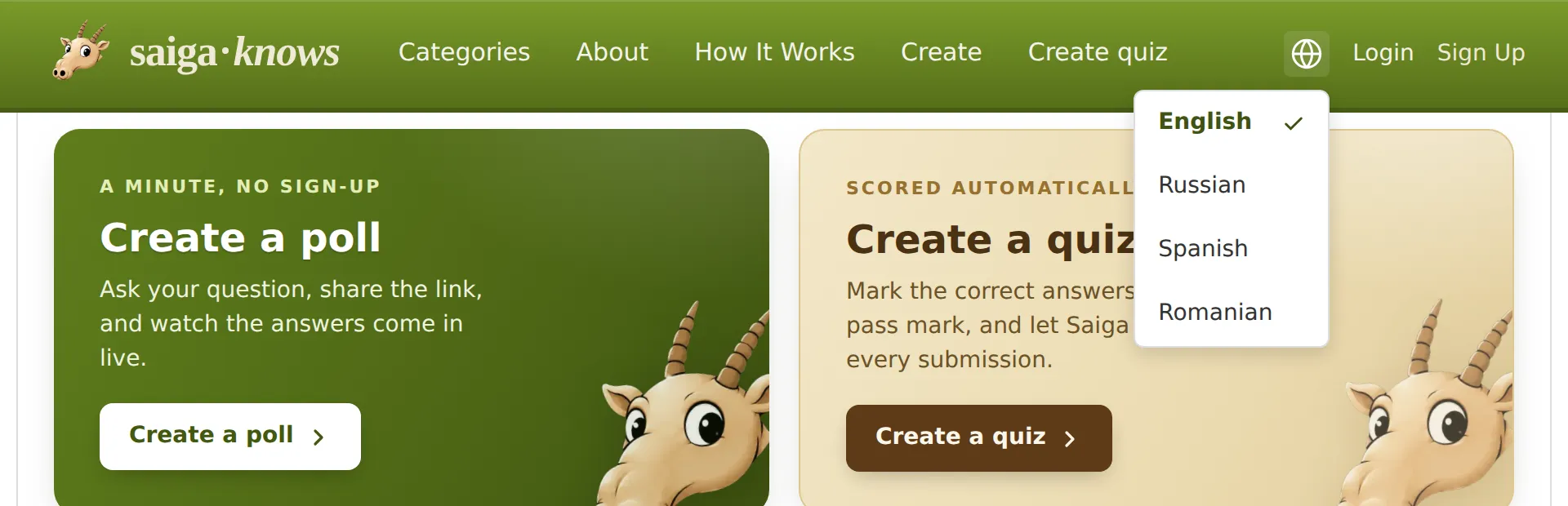
The language menu open in the top bar, listing English, Russian, Spanish and Romanian
Improved

A clearer way to browse polls

The home page and the poll list moved to a card grid. Each card shows the question, a short description and how busy the poll is, so finding something worth answering takes a glance instead of a scroll.

  • A card grid on the home and list pages
  • A short description on every card
  • Comfortable from wide desktop down to phone
  • Faster to scan, easier to pick
New

Your polls can be found on Google

A poll is worth more than the one message you sent it in. Every poll now has a proper page for search engines — a permanent address, a title and a preview — so it can keep collecting answers long after you shared the link.

  • A permanent, readable address for every poll
  • A title and preview card when the link is shared
  • An automatic sitemap for each language
  • Old links redirect instead of breaking
Improved

Fix a typo without starting over

Published a poll and spotted a mistake in the wording? You can now edit the title and the description, and switch a question between one answer and several, without losing the answers you have already collected.

  • Edit the title and description at any time
  • Switch between single and multiple choice
  • The link stays the same, so nothing you shared breaks
  • Answers already given are kept
Improved

Built for the phone in your pocket

Most people answer a poll on a phone, usually seconds after the link arrives. Every page — writing the question, voting, reading the results — now fits a small screen without pinching or sliding sideways.

  • Readable on any screen, from desktop to phone
  • Buttons and answers sized for thumbs
  • Charts and results fit the width
  • Nothing to install — it is only a link
New

Your poll, in your language and on your own address

Saigaknows speaks English and Russian, and each audience gets its own web address. Whoever you send a poll to lands on a site that already speaks their language — nothing to switch, nothing to explain.

  • The whole site in English and Russian
  • A separate address for each audience
  • Every poll remembers the language it was written in
  • Search engines see one clean address per language
New

Saigaknows is open for questions

Ask a question, list the answers, publish. Anyone with the link can vote, and the results fill in as the answers come in — no setup, no software, no invoices.

  • A poll ready to share in under a minute
  • One answer or several, whichever the question needs
  • A link that works anywhere you can paste it
  • Results anyone can read, updated as people vote